Keyframes can be set directly to CV and Vertices,
but the setting becomes complex because there are a lot of numbers,
or you would forget which group you have set keyframe.
You can make groups with Cluster Deformer.
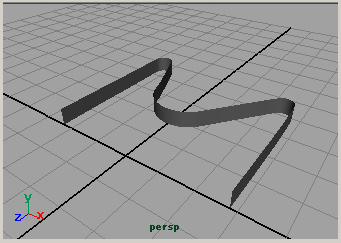
This example is NURBS modeling.
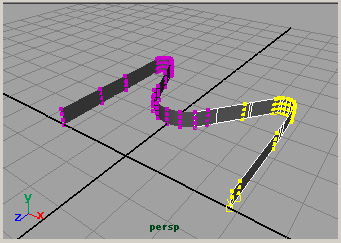
Select CVs.
In Animation Menu Set
Deform > Create Cluster
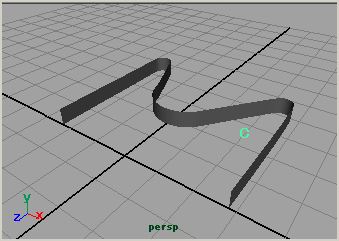
The cluster is displayed as
C
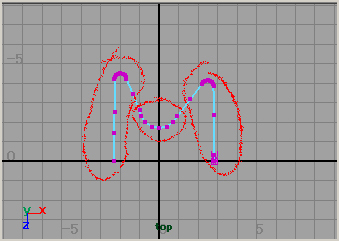
The groups are made by considering how to make animation.
In this example, 3 groups are made.
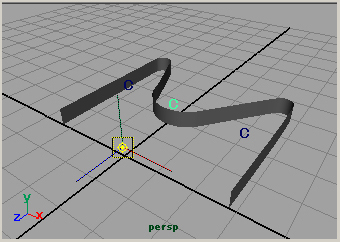
If necessary, move the pivot point of the Cluster.
Set keyframes to each Clusters.
In this example, the cluster Z scales are animated.
Japanese article
Maya tutorials:cluster animation



ur tutorial is very good.i hope more tutorials from ur site
Thank you for visiting my site.
I will write more tutorials.
Please visit sometimes.
nice tutorial. i hope u have to make more wonderful tutorial.please send me all tutorial which is releated to photoshop,3dmax lighting and maya lighting ,becuse i m lighting artist
Thank you for your visiting my site.
I am very glad of your comment.
I will write the tutorial more and more.
ur tutorial is very good.i hope u have more tutorials from ur site
I will write tutorials more.
Thank you for your visiting my site
and commenting.
although ı dont need this tutorial for now
ı am very thankfull to you
ı apprecite you
go on
may be small amount of people is visiting
but it is very helpful
thanks a lot
Thank you for your visiting my site
and commenting.